Publish your public profile
Only owners can do thisUpdated 25 Oct 2026
Your public profile is one web page that shows how customers rate you. You can put the link on your website or your social pages. Only owners can publish it, and it works on every plan, Starter included.
Before you start
You need at least 8 real ratings. RateMate does not publish an average until there are enough ratings behind it, because one job either way would swing the number too much. Walk-in ratings from your QR code count. The test message you send during setup does not.
If you are not there yet, the screen says "You have 3 ratings. Your page goes live at 8." and the tick box is greyed out. Tap Send more feedback requests to get there.
Publish it
- Tap Manage, then Public profile. On a computer, tap Settings, then Public profile.
- Read the preview. It shows exactly what a stranger would see, low ratings included.
- Tick Publish my public profile page.
- Tap Save.
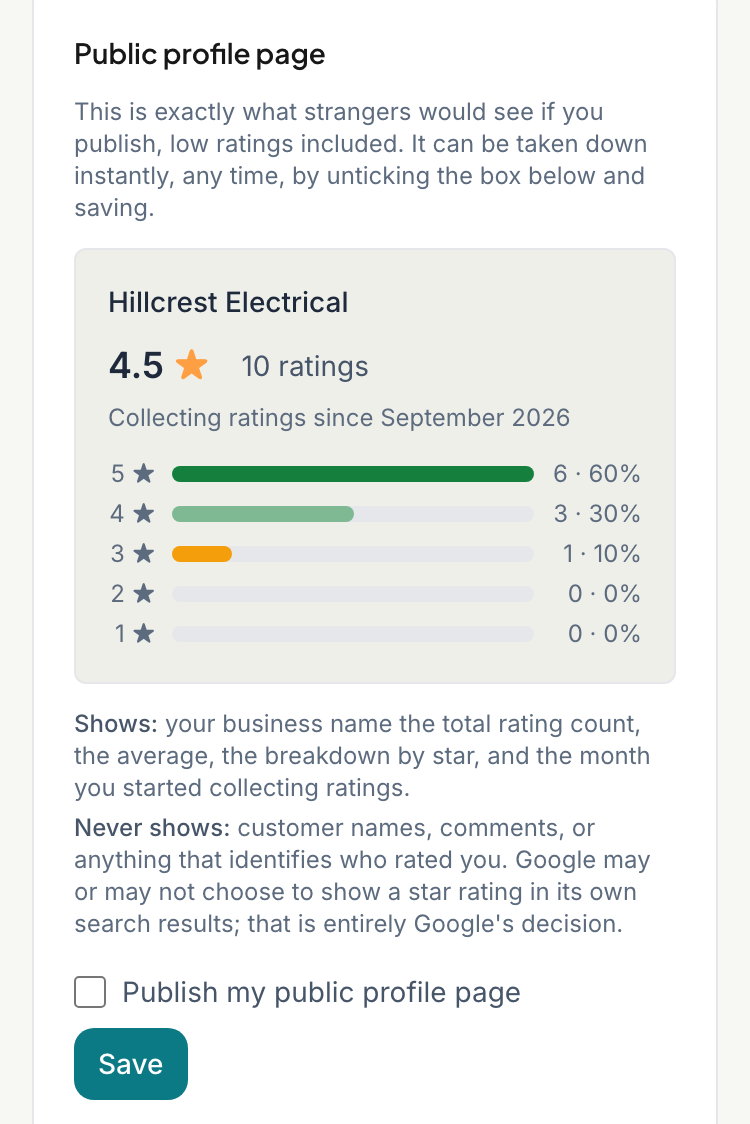
Your page is now live. The screen shows your link, which looks like ratemate.co.za/p/ followed by your business name and a few random characters. The link stays the same if you unpublish and publish again.
Share the link
Once it is live, the screen has these buttons:
- Copy link copies it. The button briefly says "Copied!".
- Share on WhatsApp opens WhatsApp with a ready message. If your phone offers it, Share… opens the other apps you can share to.
- View your page opens it in a new tab.
What the page shows
- your business name and logo, if you added one
- your average score and how many ratings it comes from
- the month you started collecting ratings
- how many ratings you got at each star level
It never shows customer names, comments or anything that identifies who rated you. You cannot pick which ratings appear or hide a low one, and the page says so.
Search engines can find the page. Google may or may not show your stars in its results. That is up to Google.
Take it down
- Open Public profile.
- Untick Publish my public profile page.
- Tap Save.
The link stops working straight away. You can untick it whatever your rating count is.
Good to know
- The page updates as new ratings come in. You do not need to publish again.
- If you rename your business, the page shows the new name, but the link keeps the old one.
- Closing your account takes the page down for good.
Related articles
Still stuck? Email support@ratemate.co.za