Set up your business profile
Only owners can do thisUpdated 25 Oct 2026
Business profile is where you keep the basics: your name, logo and industry, and when a low score should reach your phone. Only owners can change these. Members do not see this screen.
Open it
On a phone, tap Manage, then Business profile. On a computer, tap Settings. Business profile is the first section.
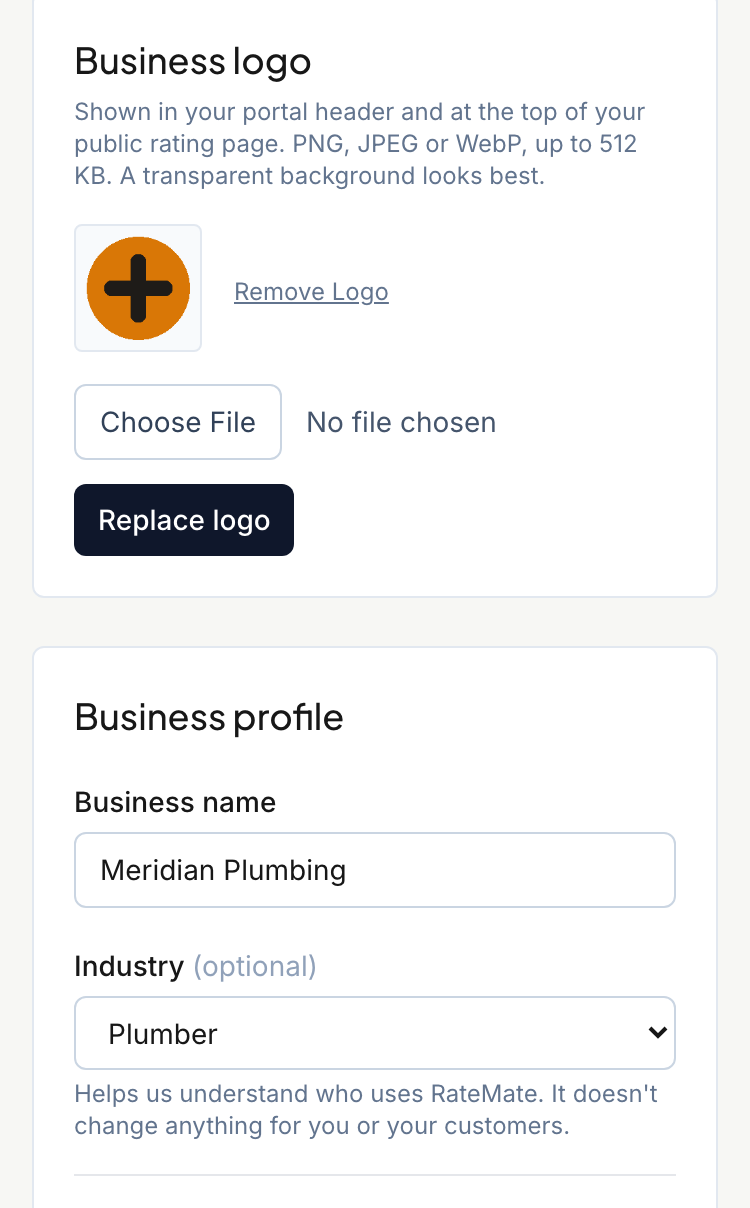
Change your name or industry
- Edit Business name. It needs at least 2 characters.
- Under Industry, pick the closest match, or leave Prefer not to say. It is optional. RateMate uses it to understand who uses it, and it also shapes the last setup step and the reminder emails you get in your first days.
- Tap Save. You see "Saved." when it worked.
Your business name is what your customers see. It is in the title of your rating page, in your messages, and on your public profile.
Add or replace your logo
The Business logo card saves on its own, so you do not need Save.
- Choose a file. It must be a PNG, JPEG or WebP, up to 512 KB. A transparent background looks best.
- Tap Upload logo. If you already have one, the button says Replace logo.
To take it off, tap Remove Logo.
Your logo shows in the portal header, at the top of your rating pages and on your public profile. The first time you add one, RateMate also picks a brand colour from it, unless you already chose one. You can change that under Rating page.
Choose when you get low-score alerts
- Under Alert threshold, pick Alert me on scores of 1 or below, 2, 3 or 4. New businesses start on 3.
- Under Low-score alerts to your phone, pick where the alert goes:
- Yes, message my verified WhatsApp number
- No, email and portal only
- Keep sending to an older number, only if you had one set before verifying
- Tap Save.
When a customer rates you at or below your threshold, RateMate messages your phone so you can call them back. If it cannot reach your phone, the alert goes to your sign-in email. Not getting them? See I didn't get a low-score alert. See Handle a low-score alert.
The first option stays greyed out until you verify your WhatsApp number under Account. See Account settings.
Good to know
- Starter: alerts need Standard or Team. On Starter, the alert fields are greyed out and you see "Low-score alerts to your phone or email need Standard or Team." Trial includes them. If you have bonus notifications from a referral, they unlock alerts on Starter too. The same fields also lock if your subscription has lapsed.
- Your Google page lives on this screen too. See Connect your Google business page.
Related articles
Still stuck? Email support@ratemate.co.za