Handle a low-score alert
Updated 25 Oct 2026
An alert opens when a customer rates you at or below your threshold. It gives you the chance to ring them while the job is still fresh and sort it out privately.
What opens an alert
The default threshold is 3, so a rating of 1, 2 or 3 opens an alert. To change it, tap Manage, then Business profile, and pick Alert me on scores of 3 or below (you can choose 1 to 4). Your onboarding test rating never opens one.
How you are told
- The alert appears in the portal straight away: on Home, and under Alerts in the Feedback tab.
- RateMate messages your phone, as long as Low-score alerts to your phone is set to Yes, message my verified WhatsApp number. The message goes to the owner's verified number, not to team members. If WhatsApp is not available, RateMate sends an SMS instead.
- If the phone message cannot be sent or fails, RateMate emails your sign-in address. Email is also used if you choose No, email and portal only.
Phone and email alerts need the Standard, Team or Trial plan, or bonus notifications from referrals. Otherwise alerts show in the portal only. A phone alert uses one of your monthly notifications, but a low quota never stops an alert.
Call the customer back
- Tap the alert. On a phone, tap the red bar on Home, or open Feedback and tap Alerts.
- Read what they said. The panel shows when the alert opened and how you were told.
- Tap Call, WhatsApp or SMS. WhatsApp or SMS opens with a draft already written, which you can edit before sending. If RateMate knows the customer is not on WhatsApp, SMS comes first.
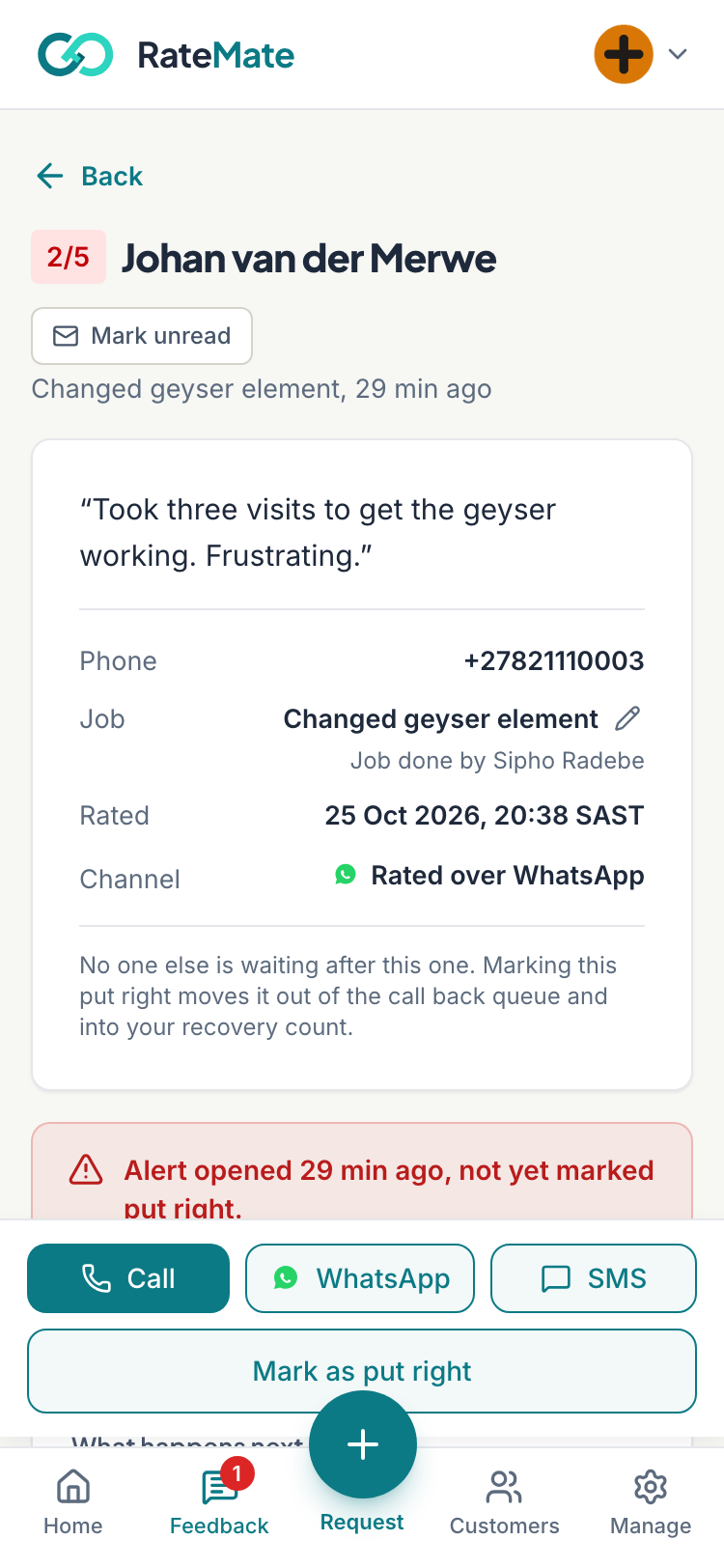
These buttons only show while RateMate holds the customer's number. You can change the draft text under Customise your reply drafts.
Mark it put right
After you have spoken to them:
- On a phone, tap Mark as put right. On a computer in the Feedback tab, the box is already open.
- Type what happened in Outcome (optional), such as "Replaced the washer, happy now". You can leave it empty.
- Tap Confirm on a phone, or Resolve on a computer.
Any team member can do this. The outcome stays on the response, with who resolved it.
Marking it put right takes the customer out of your call back queue and adds one to the problems you have put right on Home. RateMate cannot tell whether you phoned, so it only knows what you tell it.
Good to know
- An alert stays open until someone resolves it, however old it is.
- Open the customer's page to see if this has happened before: See a customer's history.
- You can handle alerts from WhatsApp too: Handle alerts on WhatsApp.
- No message on your phone? See I didn't get a low-score alert.
- Check Outcome (optional) before pressing R on a computer. The key resolves the alert immediately.
Related articles
Still stuck? Email support@ratemate.co.za