Create your account
Only owners can do thisUpdated 25 Oct 2026
You create a RateMate account once, for your business. It starts your free trial and takes you straight into setup. You do not enter any card details.
If someone has already set up RateMate for your business and invited you, use the link in your invitation instead of signing up again.
Create your account
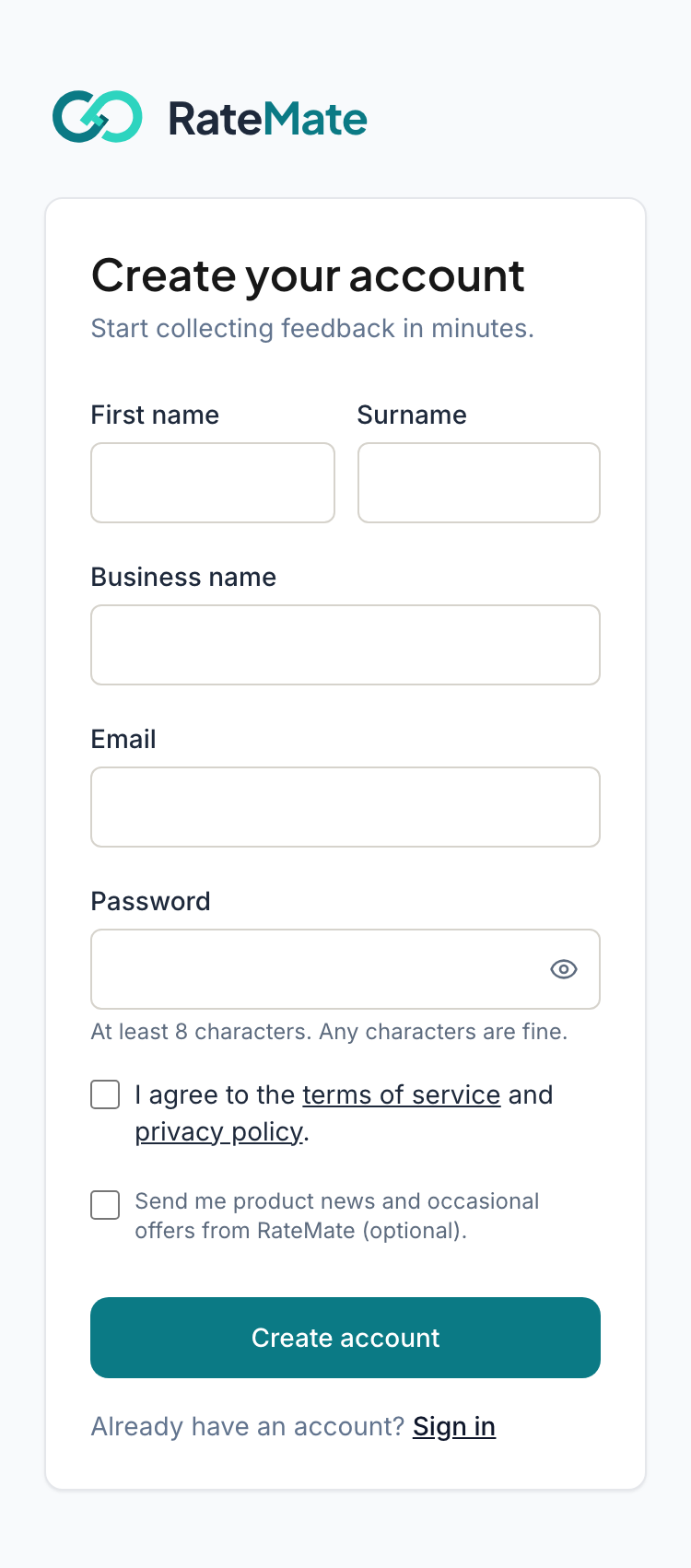
- Go to ratemate.co.za and tap Start free.
- Type your First name, Surname and Business name. Your business name appears in the messages your customers get, so spell it the way you want them to see it.
- Type your Email. This is what you sign in with.
- Choose a Password. It must be at least 8 characters, and any characters are fine.
- Tick the box that says you agree to the terms of service and privacy policy. You cannot create an account without it.
- Tap Create account.
You are signed in at once and land on the setup steps. See Go through the setup steps.
The optional tick box
Under the terms box there is a second one: "Send me product news and occasional offers from RateMate (optional)." Leave it empty if you only want emails about your account. You can change your mind later under Manage, then Account, in the Product updates section. See Manage your account settings.
What happens next
RateMate emails you a link to confirm your address. Nothing is blocked until you do, but password resets and alert emails depend on it. See Verify your email.
Sign in later
- Go to ratemate.co.za and tap Login. On a phone it is in the menu at the top. If you are already signed in, the button says Open Dashboard instead.
- Type your Email and Password.
- Tap Sign in.
If you forget your password, tap Forgot your password? under the Sign in button. See Reset your password.
Something not working?
If you see "That email already has a RateMate account.", you have signed up before. Tap Sign in in that message and use your old password. If you run more than one business, you add the others from inside your account, not by signing up again.
If you see "Too many attempts", wait for the time it names and try again.
Related articles
Still stuck? Email support@ratemate.co.za