Invite a team member
Only owners can do thisIncluded in Team and TrialUpdated 25 Oct 2026
Invite someone when they need to sign in to RateMate themselves, for example to add customers and send requests without waiting on you. Only owners can do this.
Inviting people is part of the Team plan, and your free trial includes it. On Starter and Standard you can open Team members, but the invite button reads Upgrade to invite and takes you to the Team plan instead. A person who does jobs but never signs in is not a team member. They are staff.
Send an invite
- Tap Manage (on a computer, Settings), then Team members.
- Tap Invite member.
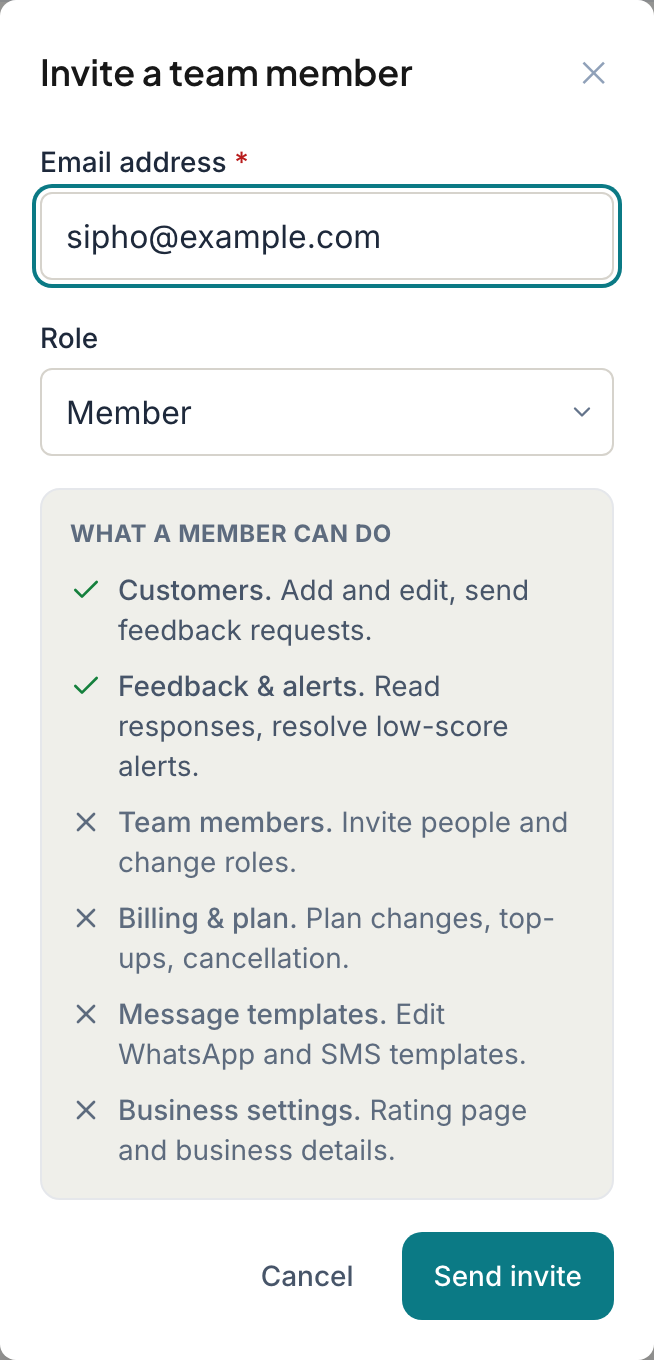
- Type their Email address.
- Choose their Role: Member or Owner. The panel underneath shows what that role can do. See What owners and members can do.
- Tap Send invite.
RateMate emails them a link. They do not join yet, even if they already have a RateMate account. They appear in your list as Pending until they accept.
What your invitee does
- They open the link in the email within 7 days.
- If they are new to RateMate, they enter their first name, surname and a password, then tap Join the team.
- If their email already has an account, they tap Accept invitation and then sign in with their usual password. Your business appears in their business list.
The link works once. If it has expired or was used, they see a message asking them to request a new one from you.
Resend or cancel an invite
Tap the pending person in your list to open them.
- Resend invite sends a fresh link and starts the 7 days again. On an expired invite the button reads Send new invite.
- Revoke invite cancels a pending invite. On an expired one it reads Remove.
Inviting the same address again also replaces the old link.
Change a role or remove someone
Tap an active person in your list.
- Use the Role drop-down to switch between Member and Owner.
- Tap Remove from team, type the name or email the box asks for, then tap Remove from team again. They lose access immediately. Feedback they already handled stays on record.
You cannot change your own role, and you cannot remove or demote the last owner.
Good to know
- Team and trial are the only plans that can send new invites. If you drop to Starter or Standard, the people already on your team stay. You just cannot invite more until you upgrade.
- You can send up to 10 invites or resends an hour. After that RateMate asks you to try again later.
- If the person who sent a pending invite is removed or demoted, that invite is cancelled.
- Only invite people who need to see your customers. See Your responsibilities under POPIA.
- If the invite email cannot go out, RateMate says so on screen. Try again shortly or contact support.
Related articles
Still stuck? Email support@ratemate.co.za