If a payment fails
Only owners can do thisIncluded in Starter, Standard and TeamUpdated 25 Oct 2026
If your renewal payment does not arrive, RateMate gives you a few days before anything changes. Then collecting pauses, and later your account becomes read-only. Paying brings it all back.
What happens, and when
RateMate checks every night. Dates below count from your renewal date.
- Renewal date. Nothing changes yet. Everything keeps working.
- More than 5 days later, no payment. The billing status becomes Payment overdue. Collecting is paused.
- About 30 days after the renewal date, still no payment. The status becomes Ended (read-only).
You can see your status on the Billing screen. On a phone, tap Manage, then Billing. Only owners can open it. Members see the red strip but cannot open Billing.
What is paused
From Payment overdue:
- You cannot send feedback requests, from the portal or from WhatsApp. You see "Your subscription has ended" or that your subscription has lapsed.
- Your QR code, walk-in link and private rating links stop taking new ratings. Your customer sees "They're not collecting feedback at the moment. Please check back later." See My customer says the link doesn't work.
- Customers who already rated still see their thank-you page.
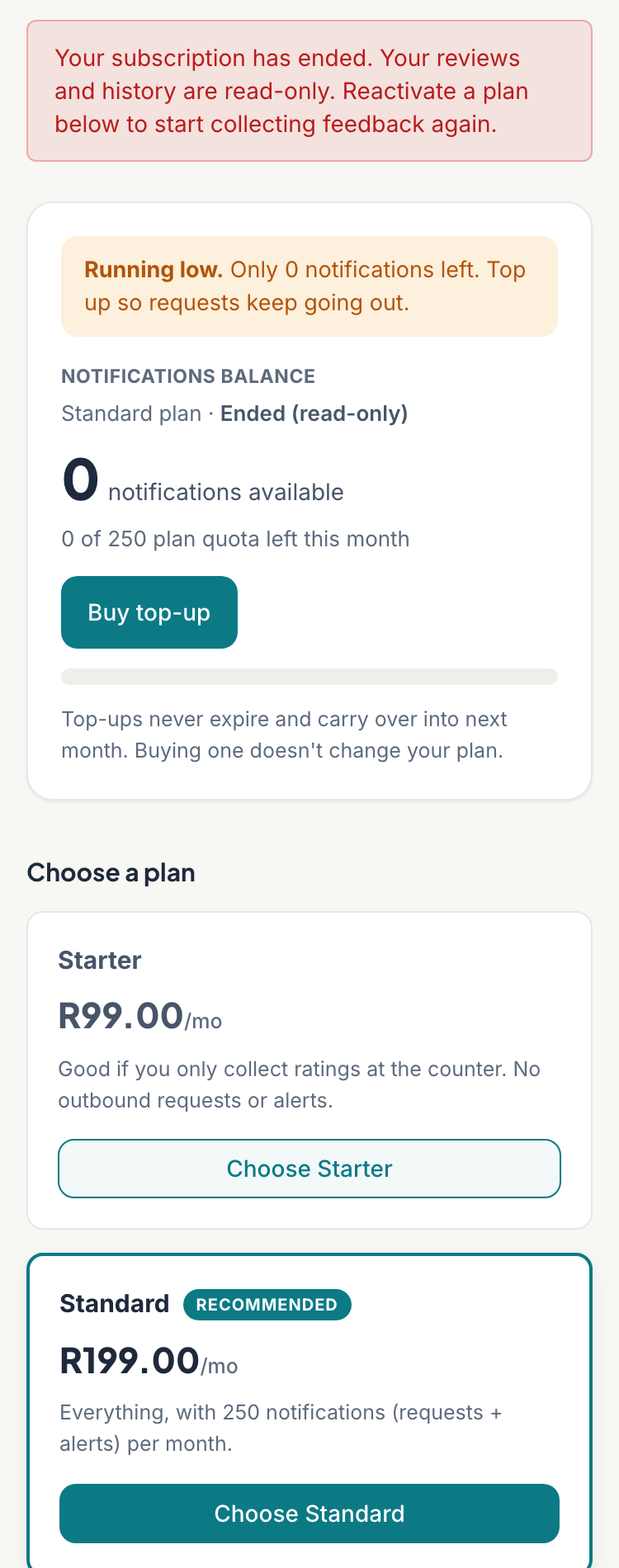
A red strip on Home and on Customers says "Your subscription has ended", with a Reactivate button.
What still works
- You can sign in and read your feedback, customers and history.
- Your public profile page stays up.
- On WhatsApp, you can still read your summary, alerts and latest responses. Tap Plan and quota and it tells you your subscription has lapsed, so sending and collecting are paused, with a link to billing. See Check feedback on WhatsApp.
- Your banked top-ups and referral credits stay on your account.
Get going again
Only owners can do this.
Whether the Billing screen says Payment overdue or Ended (read-only), you can start again yourself:
- Tap Reactivate on the red strip, or tap Manage (on a computer, Settings), then Billing.
- Under Choose a plan, tap the plan you want, such as Choose Standard. You can pick a different plan from before.
- PayFast opens. Pay there.
If your old payment agreement is still on file, RateMate stops it before PayFast opens, so you are only billed once. While your payment is overdue, the Billing screen says so in an amber note. If RateMate cannot stop the old agreement, nothing new starts and you see "We couldn't stop your old subscription, so we haven't started a new one." Email support@ratemate.co.za and we will sort it out.
RateMate shows "Payment received. Your subscription activates as soon as PayFast confirms it (usually within a minute)." Collecting starts again. You pay the full monthly price, your new renewal date is a month from today, and your monthly allowance is back to its full amount.
Something not working?
- You paid but it still says Payment overdue. Wait a few minutes, then reload the Billing screen. If it has not changed after that, email support@ratemate.co.za.
- You do not want to continue. While it says Payment overdue the Cancel subscription link is hidden and PayFast may still charge you, so email support@ratemate.co.za and ask us to cancel. To erase your data as well, see Close your RateMate account.
Related articles
Still stuck? Email support@ratemate.co.za